


Download AE Templates – Free After Effects Templates, Tutorials & More
Introduction: Why AE Templates Matters for Motion Designers
When it comes to creating eye‑catching motion graphics, Adobe After Effects remains the industry standard. However, the learning curve can be steep, especially for freelancers and small studios that need to churn out high‑quality work on tight deadlines. AE Templates steps into this gap as a Windows‑only program that bundles a rich library of ready‑made After Effects templates with an intuitive, web‑style interface. Think of it as a one‑stop marketplace that not only supplies you with pre‑built compositions but also equips you with step‑by‑step tutorials to sharpen your skills.
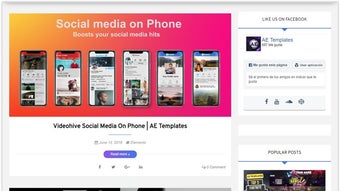
What sets AE Templates apart is its focus on convenience. Instead of hunting for templates across scattered forums, you navigate a clean home screen with clearly labeled tabs—Video Intro, Logo Reveal, Social Media Pack, and more. Each category opens a preview pane, letting you see the animation before you download it. The tool also integrates directly with After Effects, meaning you can import a template with a single click and start editing immediately.
Beyond the library, AE Templates offers a growing repository of video tutorials that cover everything from basic keyframe animation to advanced expressions. Whether you’re a beginner looking to understand the fundamentals or a seasoned designer seeking new techniques, the tutorials are indexed by difficulty level and template type, making it easy to locate the exact lesson you need.
In short, AE Templates promises to streamline the workflow for After Effects users by providing instant access to high‑quality templates, a user‑friendly browsing experience, and educational resources—all within a secure Windows application.
Feature List: What You Get With AE Templates
- Extensive Template Library – Over 500 professionally designed After Effects templates covering intros, transitions, lower thirds, title sequences, and more.
- One‑Click Import – Seamlessly push a template into After Effects without manual file handling.
- Web‑Style Interface – Tab‑based navigation mimics a modern website, reducing the learning curve for new users.
- High‑Resolution Previews – Interactive video previews let you assess quality before downloading.
- Built‑In Tutorials – Over 120 video lessons that teach you how to customize templates, use expressions, and animate assets.
- Regular Updates – Monthly content drops add fresh templates and tutorial modules.
- Secure Cloud Sync – Save your favorite templates to the cloud and sync across multiple Windows machines.
- Search & Filter Options – Find templates by category, duration, resolution, or keyword instantly.
- License Management – Track usage rights for commercial projects directly within the app.
- Customer Support Portal – 24/7 ticket system and community forum for troubleshooting and tips.
Each feature is designed with productivity in mind. For instance, the search function uses smart tagging, allowing you to type “glitch” and instantly retrieve all templates that incorporate that visual style. The tutorial section is not just a static list; it’s integrated with the templates so you can watch a lesson while the corresponding composition is open in After Effects, creating a hands‑on learning environment.
The cloud sync feature is especially valuable for freelancers who work on multiple devices. Once you mark a template as a favorite, it appears in your personal library across any Windows PC where AE Templates is installed, eliminating the need to re‑download the same asset repeatedly.
Installation & Usage: Getting Started in Minutes
Step‑by‑Step Installation
- Visit the official AE Templates website and click the Download for Windows button.
- Save the installer
AE‑Templates‑Setup.exeto your preferred folder. - Run the installer and follow the on‑screen wizard – accept the EULA, choose the installation path (default is
C:\Program Files\AE Templates), and click Install. - When installation completes, launch the application from the desktop shortcut or Start menu.
- The first launch prompts you to create a free account or sign in with an existing one. This account stores your preferences, favorite templates, and tutorial progress.
Using the Interface Efficiently
Upon logging in, you’ll see the home dashboard divided into horizontal tabs: Home, Templates, Tutorials, My Library, and Support. The Templates tab is the heart of the app. Use the left‑hand filter panel to narrow results by resolution (1080p, 4K), duration (5‑30 seconds), or style (minimalist, kinetic, retro). Clicking a template thumbnail opens a preview window where you can watch a 15‑second demo, read a short description, and view a “Download & Open” button.
When you click Download & Open, the software automatically extracts the .aep file into a temporary folder and launches Adobe After Effects (if it’s installed). The composition appears with all pre‑composed layers labeled clearly, ready for customization. AE Templates also adds a “Template Info” panel inside After Effects that contains usage tips and a link back to the related tutorial.
For tutorial playback, go to the Tutorials tab, select a lesson, and click “Play in App”. The video plays in a side pane while the associated After Effects project loads side‑by‑side, allowing you to follow along in real time. You can pause, rewind, or switch to a different lesson without leaving the main workspace.
Compatibility, Pros & Cons: Is AE Templates Right for You?
Supported Operating Systems: Windows 10 (64‑bit) and later. The application requires a minimum of 8 GB RAM, a multi‑core processor, and Adobe After Effects CC 2018 or newer.
Pros
- Time‑Saving – One‑click imports cut down project setup time dramatically.
- High‑Quality Assets – All templates are created by professional motion designers and are fully editable.
- Learning Hub – Integrated tutorials accelerate skill development without needing external courses.
- Regular Content Updates – New templates are added monthly, keeping the library fresh.
- Cloud Sync – Favorites and progress are saved to the cloud for seamless multi‑device use.
- Free Tier Available – Access to a limited selection of templates and tutorials without a paid subscription.
Cons
- Windows‑Only – No native macOS, Linux, or mobile version, limiting cross‑platform teams.
- Subscription Model – Full library access requires a monthly or annual fee.
- Initial Download Size – The installer is ~250 MB, and the first library sync can consume several gigabytes.
- Learning Curve for After Effects – While templates simplify design, users still need basic After Effects knowledge to customize effectively.
- Limited Export Options – Currently only supports exporting directly from After Effects; no built‑in render farm integration.
Overall, AE Templates shines for Windows‑based motion designers who value speed and continuous learning. If you work on macOS or need a completely free solution, you might need to consider alternative template marketplaces.
FAQ – Frequently Asked Questions About AE Templates
Can I use AE Templates on a Mac?
No, AE Templates is currently built exclusively for Windows 10/11. Mac users will need to run the software through a Windows virtual machine or consider alternative template libraries that support macOS.
Do I need an active Adobe After Effects license?
Yes. AE Templates only provides the .aep files; you must have a licensed copy of Adobe After Effects (CC 2018 or newer) installed to open and edit the templates.
Is there a free version of AE Templates?
A limited free tier is available, granting access to a curated selection of 20 templates and 5 tutorials. To unlock the full library and all future updates, a paid subscription is required.
How often are new templates added?
The development team releases new templates and tutorial modules on a monthly basis. Subscribers receive these updates automatically via the built‑in update manager.
Can I use the templates for commercial projects?
Yes. All templates come with a royalty‑free commercial license, allowing you to incorporate them into client work, marketing videos, and even resale products, provided you adhere to the license terms listed in the app.
Conclusion: Should You Download AE Templates?
If you’re a Windows‑based motion designer looking to accelerate project turnaround while expanding your skill set, AE Templates offers a compelling package. The combination of a vast, high‑quality template library, an intuitive web‑style interface, and integrated tutorials means you spend less time searching for assets and more time creating compelling visuals. The subscription cost is justified by the regular content updates and the time savings you’ll experience on a day‑to‑day basis.
Ready to boost your After Effects workflow? Download AE Templates now and start exploring the free tier. Upgrade to a paid plan when you’re ready to unlock the full suite of templates and tutorials.







